
User validation required to continue.
Please type the text you see in the image into the text box and submit.
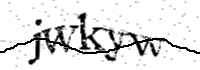
[Refresh the page to generate a new image.]
Note:
- If you get here while trying to submit a form, you may have to re-submit the form.
- Access to this domain may need the browser to have javascript and cookie support enabled.