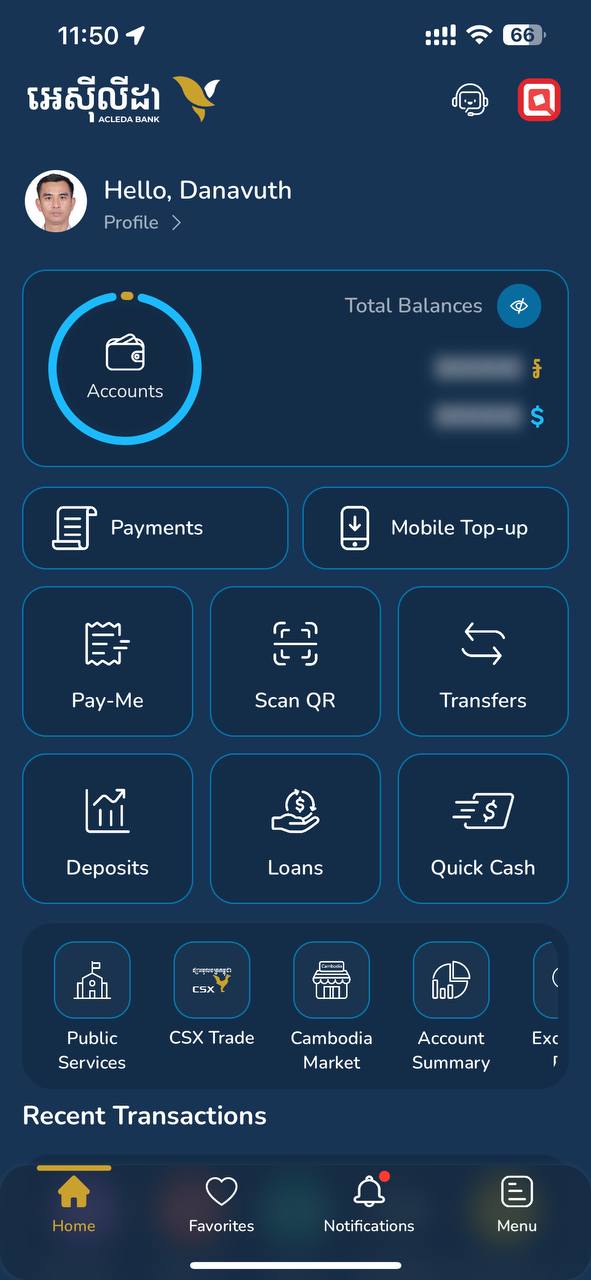
- 1.1. Open "ACLEDA mobile" super app
- 1.2. Select any menu, for example "ACCOUNTS" menu
|
 |
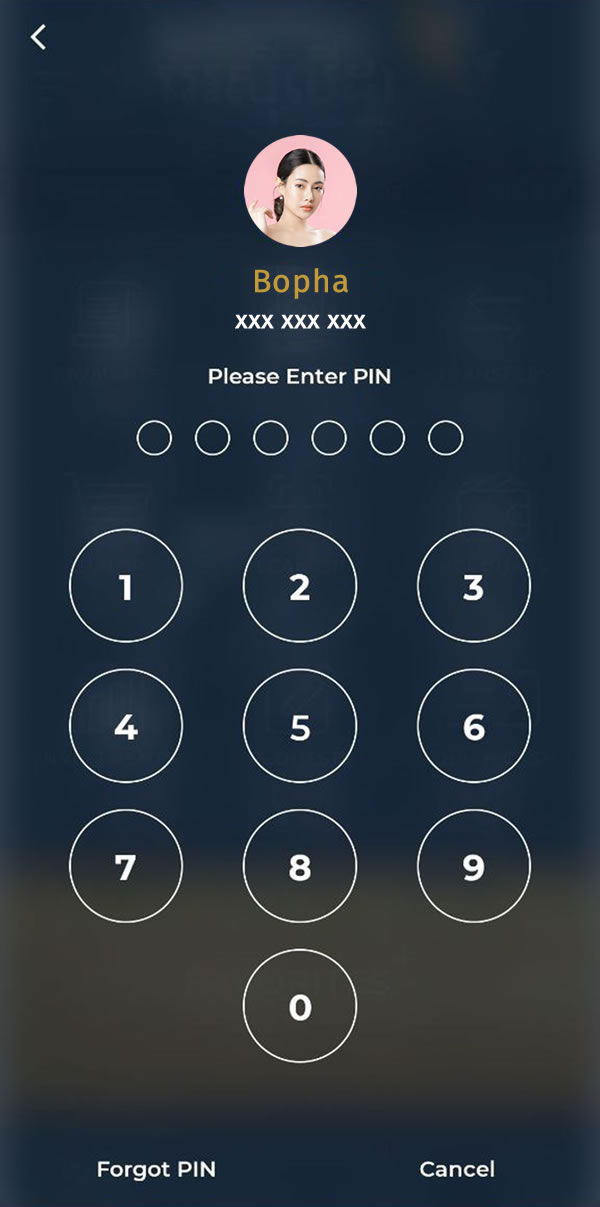
| 2. Choose "Forgot PIN" or "Reset PIN" |
 |
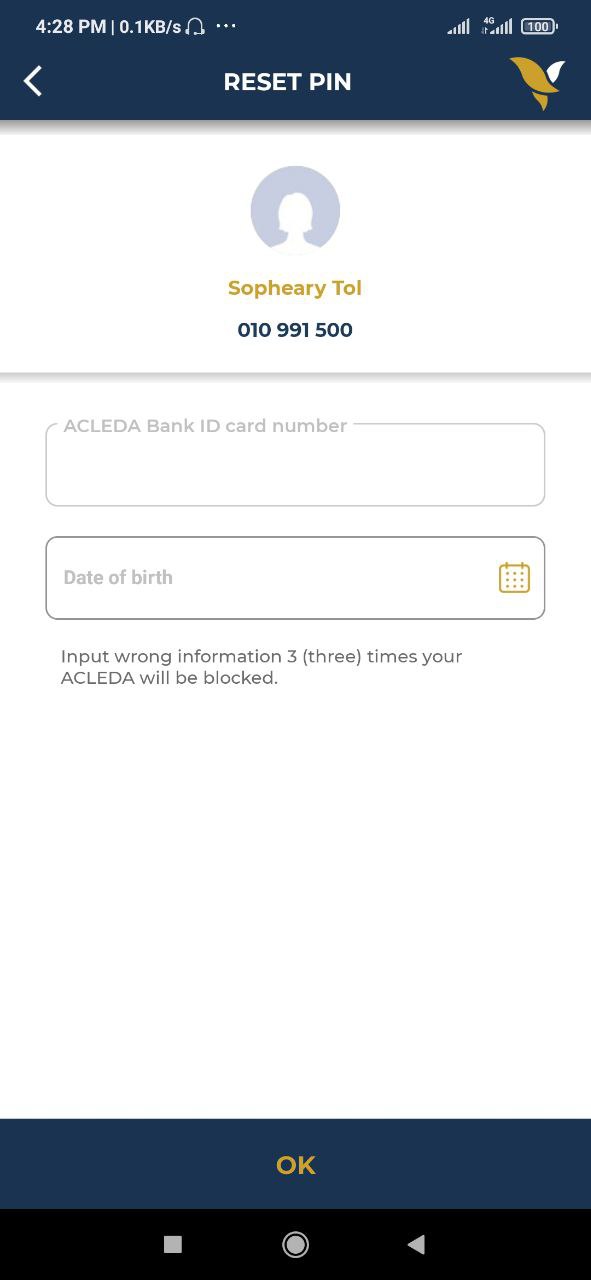
- 3.1. Enter your registered ID number and date of birth
- 3.2. Press "OK" button
- If you input incorrect information, the system will temporarily block the use of ACLEDA mobile for 1 minute to 1 day.
- The registered SIM card number is in the phone and use 4G/LTE mobile data from the registered phnone number.
|
 |
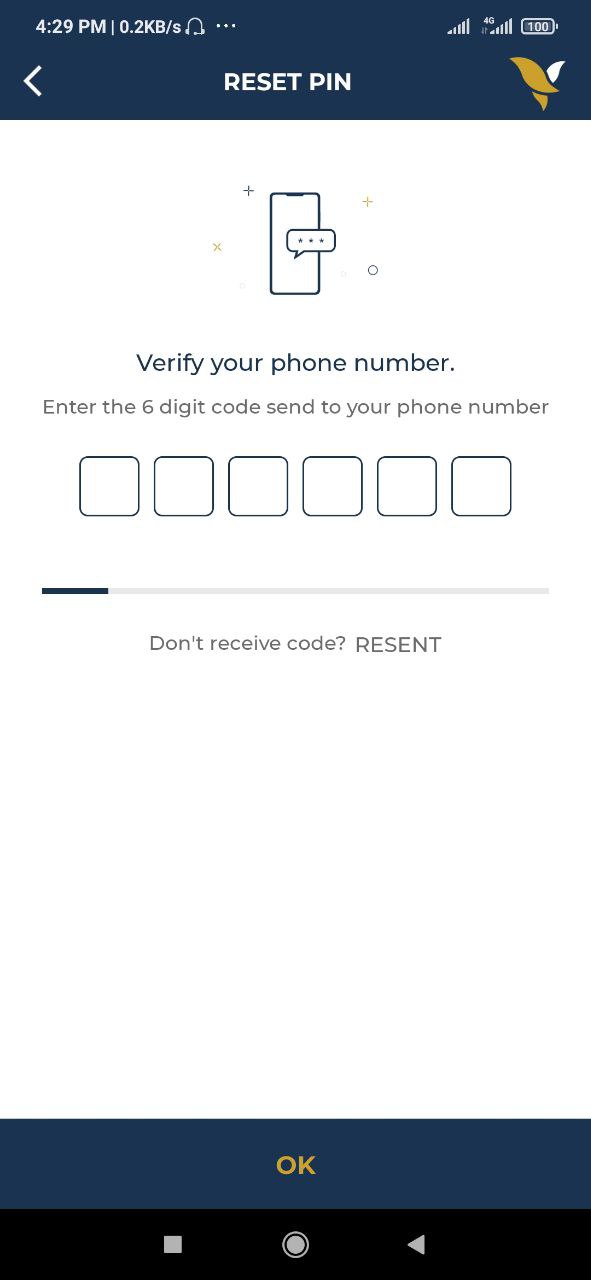
- 4.1 Verify OTP number sent to your registration phone number
- 4.2 Choose "OK" button
- The system will automatically verify your phone number (for Smart, Cellcard, and Metfone).
|
 |
| 5. Scan your face to verify |
 |
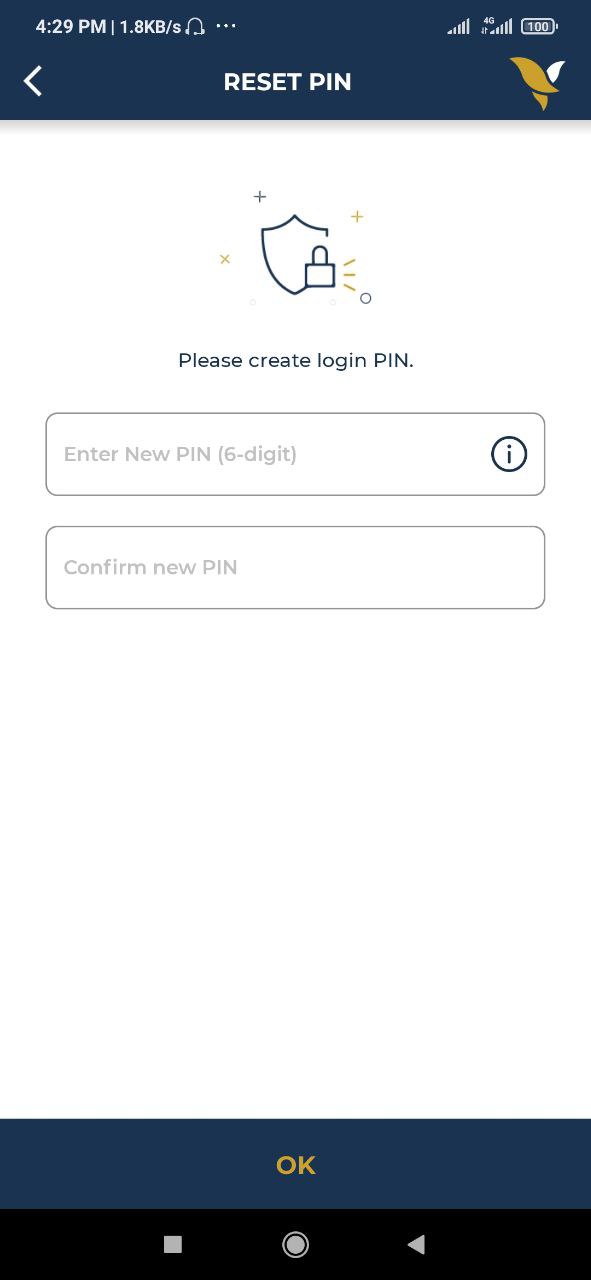
- 6.1. Enter new PIN
- 6.2. Confirm new PIN
- 6.3. Press "OK" button
- The system does not allow you to use old PIN or simple PIN.
|
 |
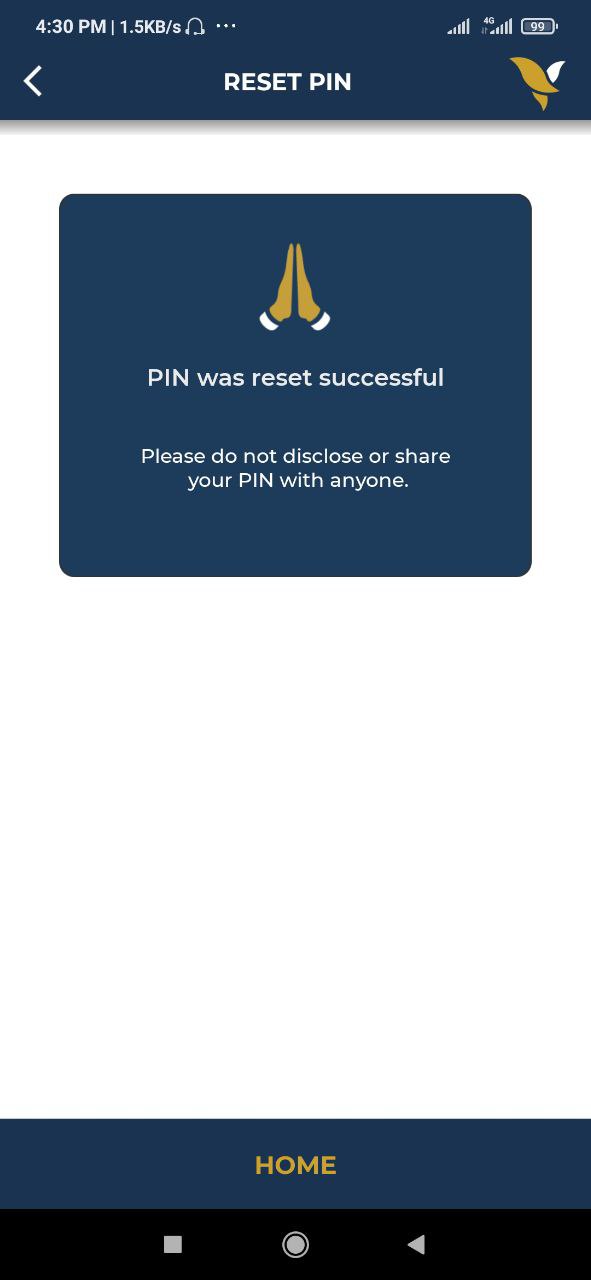
- 7. PIN was reset successful
- Please don't disclose or share your PIN with anyone. ACLEDA Bank staff will never call you asking for PIN/OTP or doing any transactions.
|
 |